Where to find your serial number
The location of your serial number varies between different Canon products. The serial number is a combination of numbers and/or letters, without spaces or special characters. Please ignore any numbers or letters that appear in brackets.
Printers
-
PIXMA
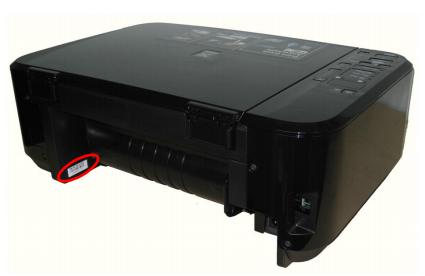
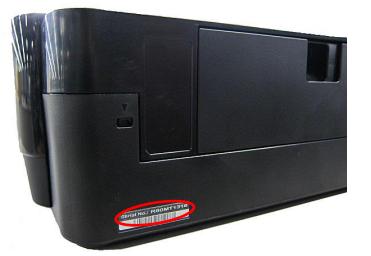
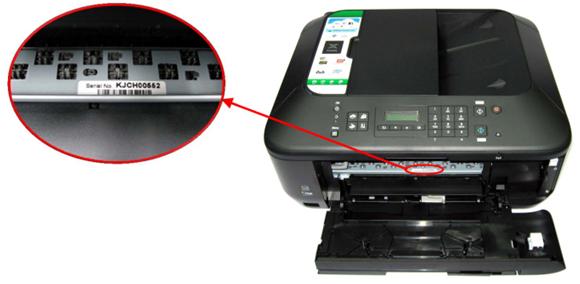
The serial number for your PIXMA printer will be 9 characters long and consists of 4 letters followed by 5 numbers e.g. XXXX00000. This will be printed on a sticker and can be found either on the back or inside the printer, some of the possible locations are highlighted below -
On the back of your printer -

Inside your printer -
Please be aware that over time ink can spill onto the white sticker inside the machine which can prevent the serial number from being visible, this can be wiped off with a dry cloth.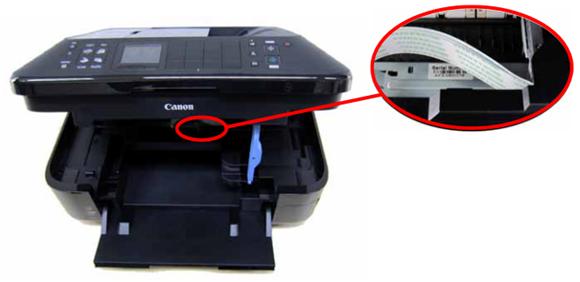

You can also find your serial number printed on a white sticker on the side of the box that your PIXMA printer came in. The location of the serial number on this sticker is highlighted in the image below -
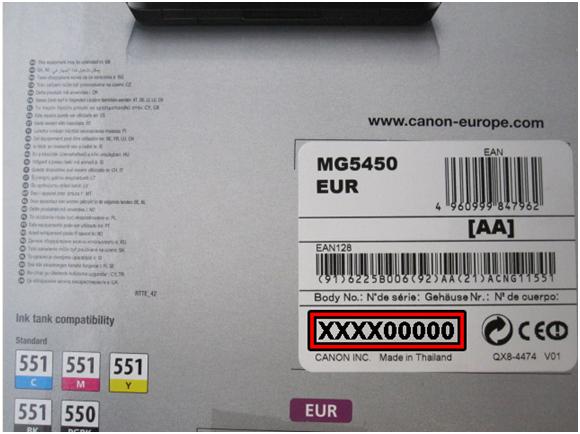
Please note: The following is not a serial number:

-
i-SENSYS
The structure of the serial number for your i-SENSYS varies depending on the model type, as explained below -
- If your product provides printing functionality only, then the serial number will be 10 character long and consist of 4 letters and 6 numbers e.g. XXXX-000000.
- If your product provides printing and copying, scanning or faxing functionality, then the serial number will be 8 digits long and consist of 3 characters (letters or number) and 5 numbers e.g XXX-00000.
The serial number will always be printed on a sticker and can be found either on the back of the machine or for some models inside the machine.
Please see the examples of serial number locations highlighted in the images below –
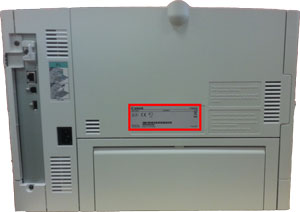
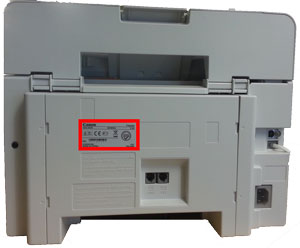
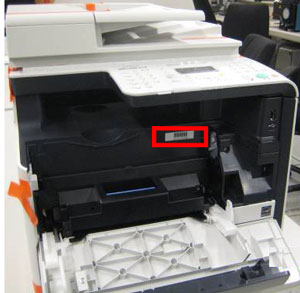

-
MAXIFY
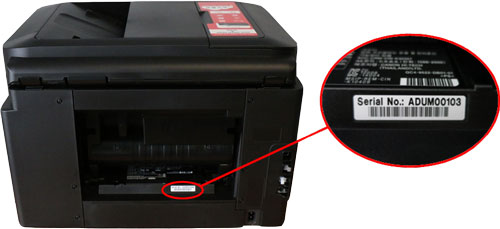
The serial number for your MAXIFY printer will be 9 characters long and consists of 4 letters followed by 5 numbers e.g. XXXX00000. This will be printed on a sticker and can be found on the back of the printer as highlighted in the image below –
-
SELPHY
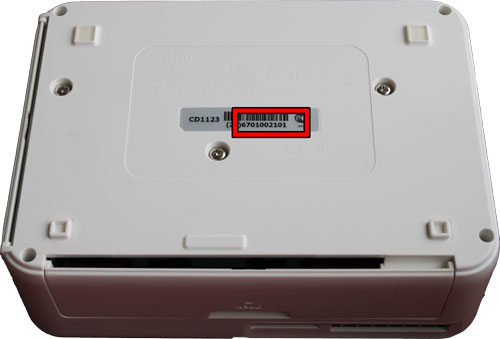
The serial number for your SELPHY printer will be 10 digits long and consist only of numbers e.g.0123456789. The serial number will usually be preceded by 2 numbers in brackets e.g. (21), however the numbers in brackets are not part of the serial number.
This will be printed on a sticker and can be found on the base of the printer, as highlighted in the image below -
-
Personal Copiers
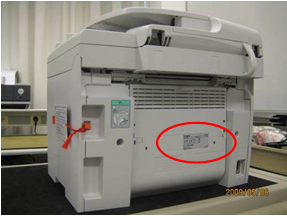
The serial number is located at the back of the product as indicated in the image below -
Cameras, Lenses & Accessories
-
EOS
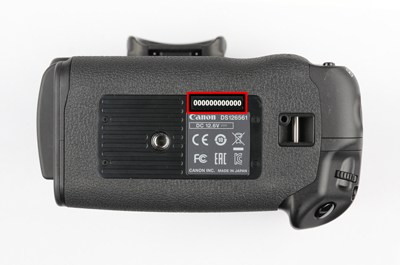
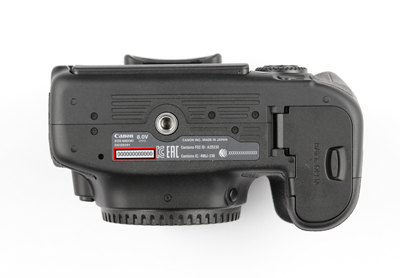
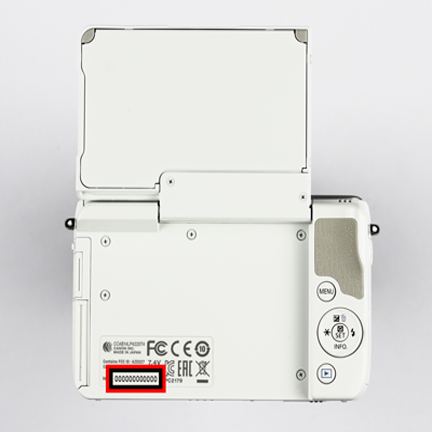
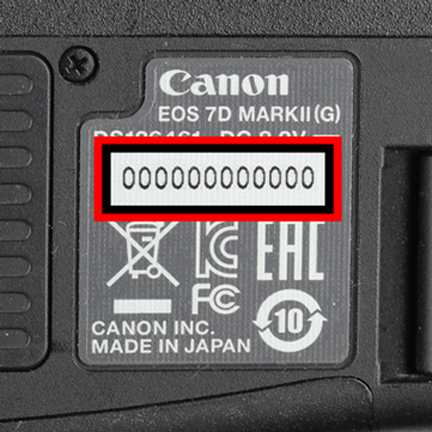
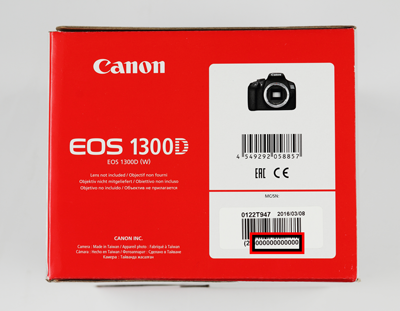
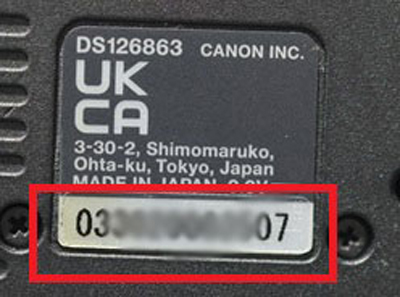
The serial number for your EOS camera will generally be 12 digits long, however for some older models the serial number may be 6 or 10 digits long.
The serial number can be found in the following locations, which are highlighted in the images below:
- Either on the bottom of the camera, printed in black, grey or white, or behind the LCD screen; and
- On a white sticker on the box your camera came in.
-
PowerShot & IXUS
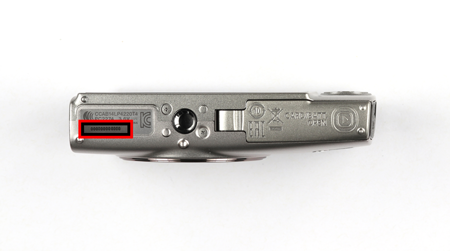
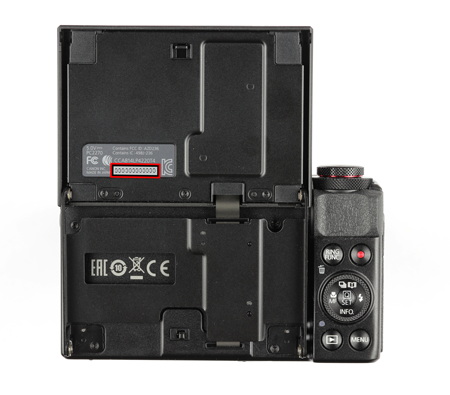
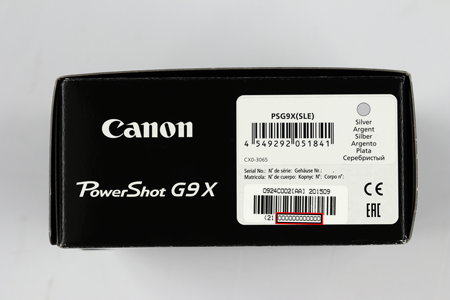
The serial number for your PowerShot or IXUS camera will generally be 12 digits long, however for some older models the serial number may be 9 or 10 digits long.
The serial number can be found in the following locations, which are highlighted in the images below:
- Either on the bottom of the camera, printed in black, or behind the LCD screen; and
- On a white sticker on the box your camera came in.

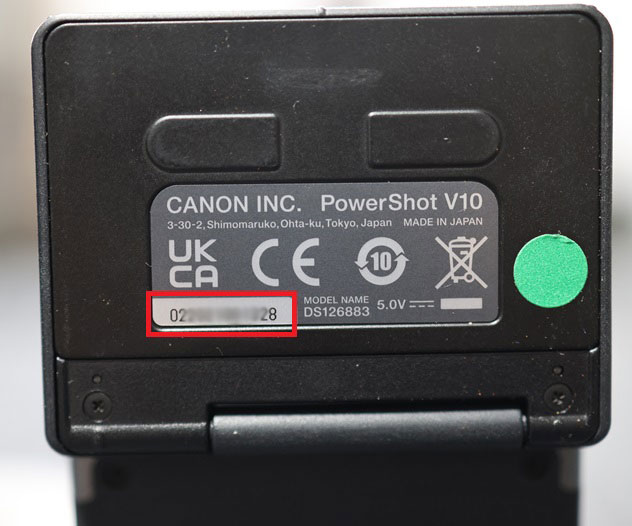
-
EF & RF Lenses
The serial number may be 5, 6, 7, 8, 10 or 12 digits long depending on the age and model of your lens.
The serial number can be found in the following locations, which are highlighted in the images below:
- Either stamped on the side of the lens barrel or stamped in black on either the plastic or metal area of the electronic mount; and
- On a label on the original display box.
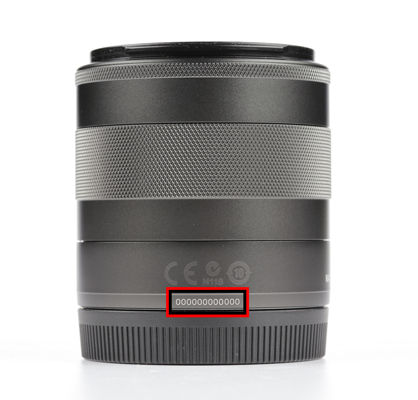
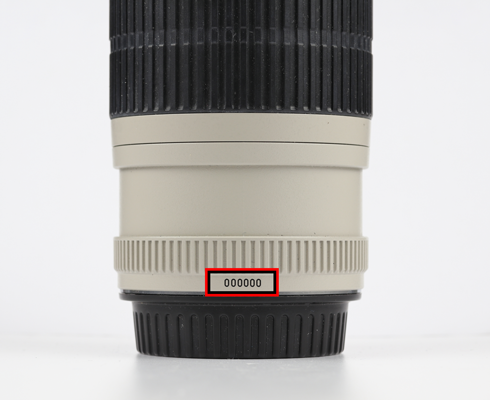
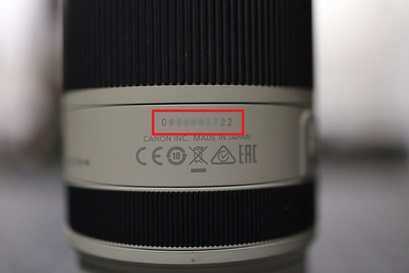
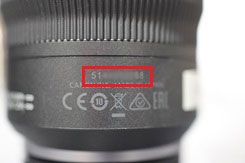
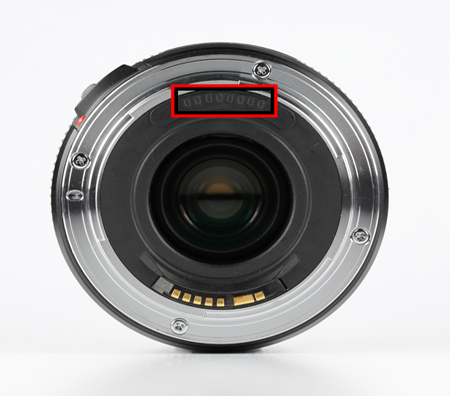
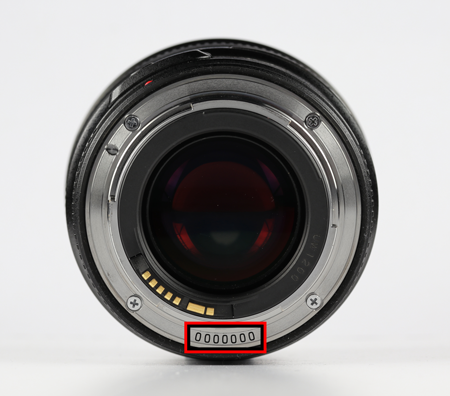
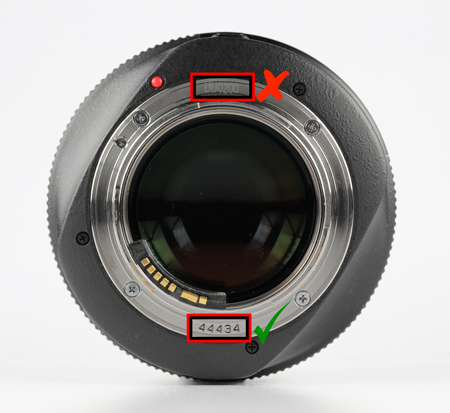
Please be aware that some lenses may also display a company code which could be mistaken for the serial number.
This company code can easily be identified as it will consist of letters and numbers.
An example of the company code and serial number is shown below -
-
Camera Accessories
Battery Grip
The serial number for your battery grip will generally be 10 digits long.
It can be found in the locations highlighted in the images below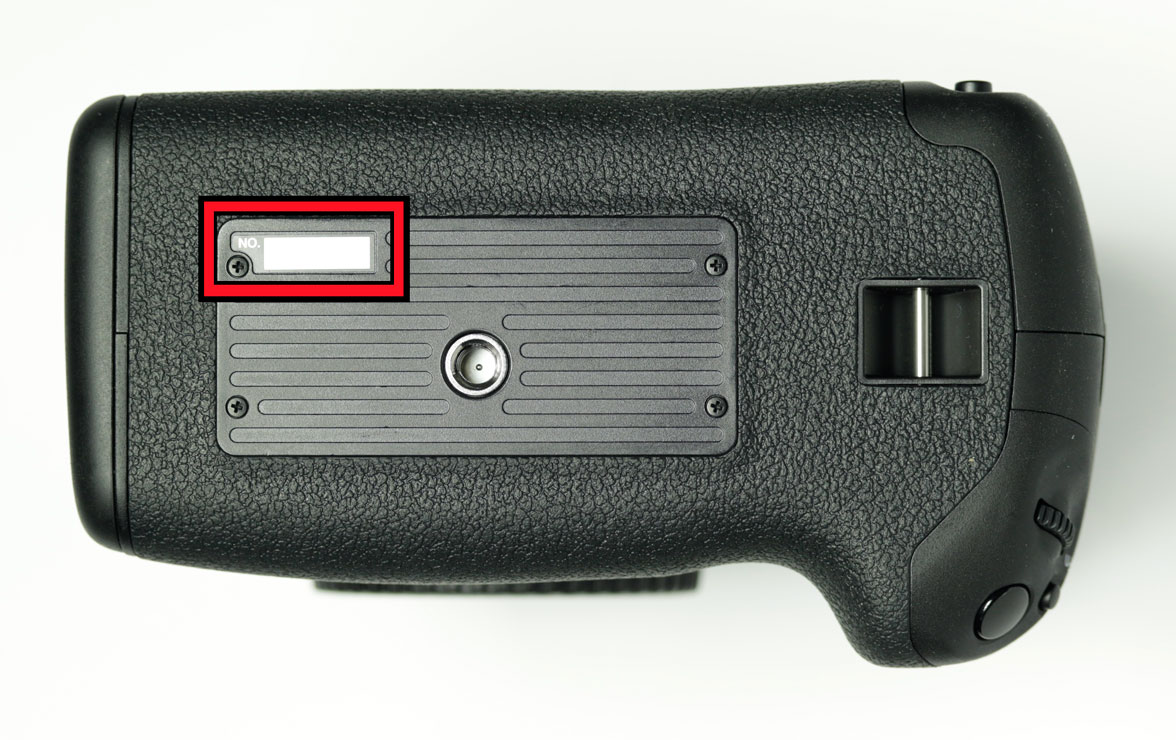
Speedlites
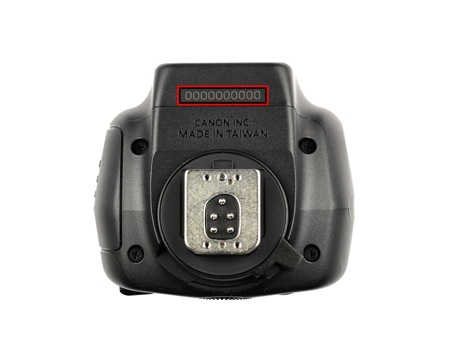
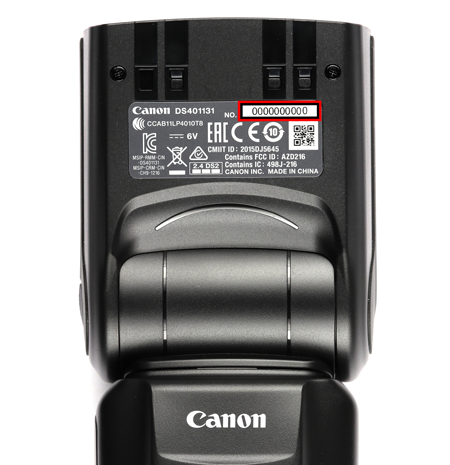
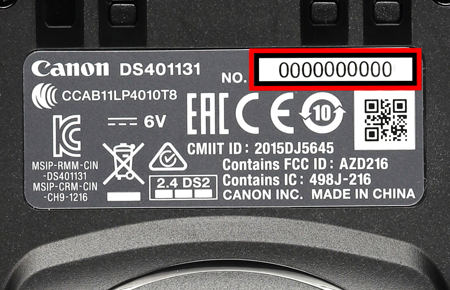
The serial number can be found in the following locations depending on the age of the Speedlite:
- Either on a sticker inlaid in the flash head, printed in black numbers on a silver/grey background, or stamped into the flash head; and
- On a label on the original display box.
Other products
-
Scanners
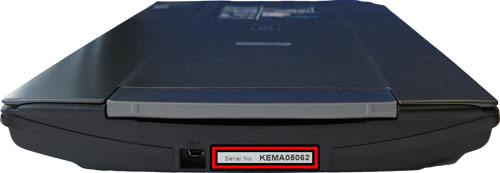
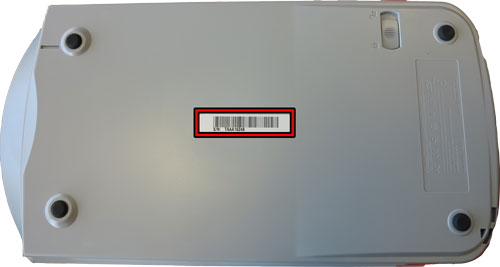
The serial number for your CanoScan or CanoScan LiDE scanner will be 9 characters long and consists of 4 letters followed by 5 numbers e.g. XXXX00000. On certain models it will say ‘Serial Number’, however other models will just have the letters ‘S/N’. This will be printed on a sticker and can be found either on the back or bottom of the scanner.
Please see the examples of serial number locations highlighted in the images below-
-
LEGRIA, Professional Camcorders and EOS Cinema Cameras
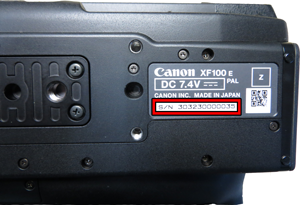
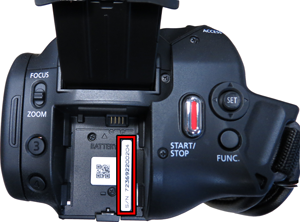
The serial number for your camcorder will either be a series of numbers and letters, or a series of only numbers. This will generally be 12 digits long and proceeded by the letters “S/N”. The serial number will normally be printed on a sticker and is most often located on the bottom of the camcorder or underneath the battery.
Please see the examples of serial number locations highlighted in the images below-
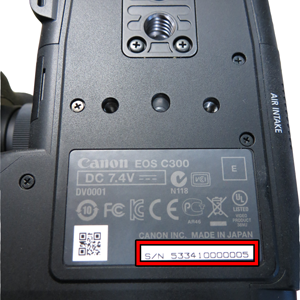
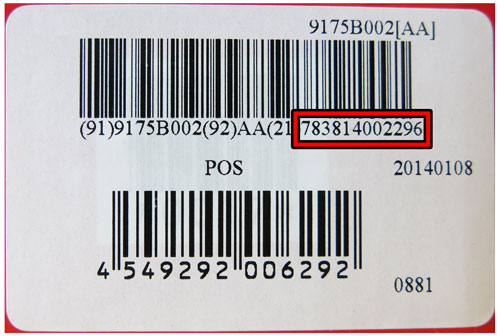
You can also find your serial number printed on a white sticker on the side of the box your Camcorder came in. The serial number will usually be preceded by 2 numbers in brackets e.g. (21), however the numbers in brackets are not part of the serial number.
The location of the serial number on this sticker is highlighted in the image below -
-
Projectors
The serial number for all projectors will always be a combination of letters and numbers and can be located on the bottom of the product as shown in the images below:
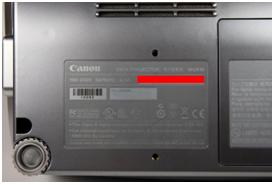
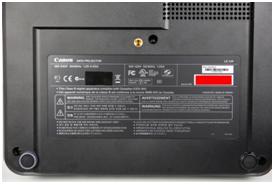
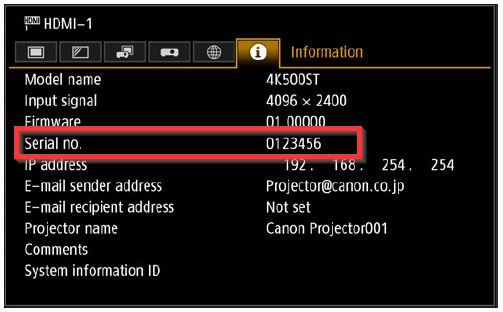
The serial number can also be located using the projectors menu system by following the simple steps below:
- Open the projectors menu
- Select the information tab
- The serial number will be displayed as shown in the image below:
-
Remote PTZ Cameras
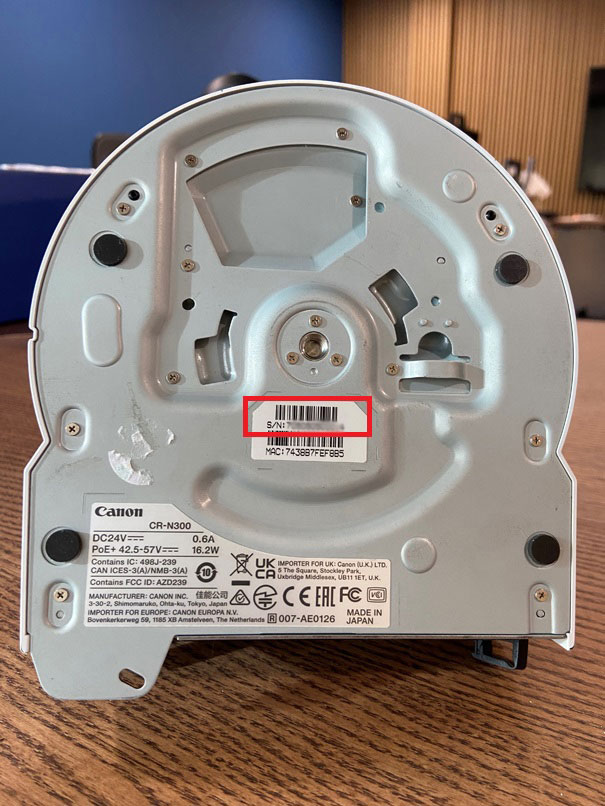
The serial number is located on the bottom of the product in the box marked ‘S/N’, as indicated in the image below:
-
Binoculars
The serial number can be found in the following locations:
- Either underneath the binoculars or, on IS models, on the battery door of the product; and
- On a label on the original display box.
-
Calculators
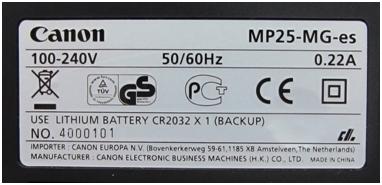
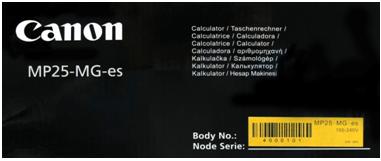
The serial number for printing calculators is located either on a white sticker on the bottom of the product preceded by the letters ‘NO’, or on the original product packaging as indicated in the images below -
-
FAX machines
The serial number is located at the back of the product as indicated in the image below -

You might also need...
Contact Us
Contact us for telephone or e-mail support
Service & Repair
Book a service, send a product for repair, or find out more about our service and repair process
Recycling
Learn more about Canon's Cartridge Recycling Programme
Canon Account
Register your product and manage your Canon account